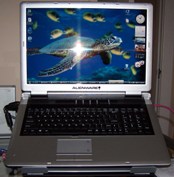
 It's been nearly 6 months, and I've worked out the remaining issues with my Alienware work/gaming rig (the m5790, a 2007 line that's already been retired). You may recall that I had several issues at the 2-month mark. After many hours of support, these problems (and a few others that I encountered since) have finally been resolved.
Here's what I've had to contend with:
- A Windows Explorer that crashed at the drop of a hat. The first time this happened, the problem resolved itself after several weeks. The second time it was traced to a third-party add-on that didn't get along with Windows Vista; disabling the unneeded extension file fixed it.
- ATI graphics driver hell. I found that I had mistakenly installed the desktop version of my X1800 drivers, which seemed to work fine in most situations but I wanted to be on the official version for my hardware - since GameTap Player failed and supposedly should work with "most newer model nVidia, ATI, and Intel cards." So I went back to ATI to learn that, despite their flowerly marketing page promise that you can "download the latest Catalyst Mobility updates every month to enhance your notebook PC," their support page reports: "Currently AMD does not provide any driver support for Mobility Radeon products. All driver and technical support for Mobility Radeon products is provided by the original laptop or notebook manufacturer." Apparently, newer drivers are available from some laptop manufacturers, but not Alienware.
So I tried to reinstall the Mobility drivers released in March 2007 for my system, but it failed. Reading the Alienware support forums, this is a very common problem. After 2+ months stuck on the generic Windows Vista driver (which, to its credit, ran reasonably well), I learned what the problem is: filepath length! Now, first of all, I thought Vista got away from this arbitrary 256-character limit for filepaths, though maybe ATI's installer code is at fault here. The problem stems from the fact that Alienware's distribution contains a series of nested folders that, when unzipped to a popular location such as the Desktop or Documents folder, makes the default path too long. Shortening the folder names and/or moving the files to the root level of your C:\ drive fixes this glitch.
And now I have official drivers, and GameTap still doesn't work. C'mon, guys - what's the point of having a gaming laptop if one of the more popular (and now, somewhat free) sources of games doesn't work!
- Printer driver conflicts. I don't know what was happening when I installed the HP Vista drivers for my older printer, but I ended up buying a newer, more precise HP printer that works better for my business and those drivers worked fine.
- Remote backups. I also ran into a problem using the Windows Vista backup feature with a D-Link network drive I bought only a year ago. The backup always failed immediately, despite Microsoft claiming that network devices should work. Microsoft support sent me to D-Link, and D-Link support told me it was Microsoft's bad. I finally bypassed the issue by purchasing a new 500GB MyBook and directly connecting it to my laptop. It seems the answer to most Vista issues is to throw money at them.
What's funny is that the MyBook's preloaded backup software doesn't work at all. But, with some effort (shutting down everything and turning off AV protection), I can use the Microsoft backup tool. I CANNOT automate it to get nightly backups, which I would love. And though I picked up Microsoft Windows Live OneCare at Fry's for free (with rebates), the promise of enhanced backup tools was dashed by the fact that OneCare won't run without uninstalling my preferred AV software (Kaspersky). Hm, backups and antivirus - aren't these two independent features? How about you make them that way.
- Excel document became corrupted. A very big and very important business file stopped working properly and would crash Excel whenever I tried to adjust formatting. I finally had to copy its contents (and extensively reformat the work I had already done) to recover it. Microsoft support showed no interest in seeing the file or trying to identify what had caused the problem.
The system does work fine now, which is lucky since business is booming! The bad news is that this means less time for games. Fortunately for me, the m5790 seems better suited for work than play.
-=Gamewatcher
So you probably won't buy another Alienware, but what about Vista? I admit I have not seen it in action. I plan on purchasing a new computer in the next few months. Is Vista worth the trouble that comes along with it? Sucking that many resources for an OS seems counter productive.
That's a great question! I actually like Vista quite a bit, despite its roughness. I think I said before that it seemed unfinished.
Microsoft does continue to update it, though they haven't sanded all the corners yet. And it still has a long way to go before it meets the ideal I had for it (I really wish it did a better job at waking from sleeping, backed up my system each night, and would remember all of my open IE and Outlook windows when I have to reboot).
As a consultant, I find Vista invaluable, but knowing the latest Windows operating system hands on is practically a requirement for my business. And even if it wasn't, I would probably still choose it.
If you go that route, I would recommend getting it on a new machine and loading it with as much RAM as it will take. (I'm at 2GB plus a 3GB ReadyBoost via USB card for my virtual memory.)
Hopefully, my laptop will last a good 2-3 years, and then I'll see what's out there when I replace it.
-=Gamewatcher